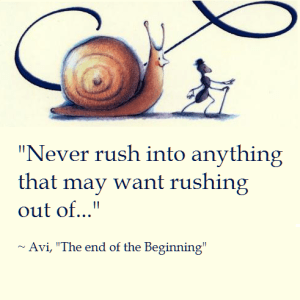
Quote: The End of the Beginning

Quote This quote is from a book I read to my children the other night but feel it is just as relevant to this side of my world as that one.  Learning to be able to identify when to rush and get something out the door and when to slow down and take some extra time is difficult but necessary in the work we do.

~ Avi, The End of the Beginning: Being the Adventures of a Small Snail (and an Even Smaller Ant)

#TinyMCE: Fixing Pageload Flickering

When my TinyMCE boxes load I find that there is brief moment when it flickers, the users don’t like that.   Looking closely I found that the flicker is a brief glimpse of the underlying HTML that is rendered before the TinyMCE box finishes loading and is displayed.  To fix it I do some fancy hide/show work.  Initially the page is loaded with the control hidden, then when it is done loading it shows it. Since I had the code already put together, I left in an example of a read-only version of the editor.

When the page is loading mark the textarea as hidden:

     <div class="form-group">
        @Html.Label("Content:") @Html.ValidationMessageFor(m => m.ContentHtml)
        @if (Model.IsReadOnly)
        {
          @Html.TextAreaFor(m => m.ContentHtml, 
                            new { @class = "tinymce-ro", @readonly = "readonly", 
                            @style = "height:300px; width:100%; display:none" })
        }
        else
        {
          @Html.TextAreaFor(m => m.ContentHtml, 
                            new { @class = "tinymce", maxlength = 5000, 
                            @style = "height:300px; width:100%; display:none" })
        }
      </div>

Then show it again once loading is complete:

    $('textarea.tinymce').tinymce({
      script_url: '/scripts/tinymce/4.0.25/tinymce.min.js',
      theme: "modern",
      toolbar: "bold italic ",
      paste_auto_cleanup_on_paste: true,
      init_instance_callback: function (editor) {
        $('.mce-tinymce').show('fast');
      }
    });

    $('textarea.tinymce-ro').tinymce({
      readonly: true,
      script_url: '/scripts/tinymce/4.0.25/tinymce.min.js',
      theme: "modern",
      toolbar: false,
      menubar: false,
      statusbar: false,
      init_instance_callback: function (editor) {
        if (document.getElementById(editor.id).style.display === 'none') {
          editor.getBody().style.backgroundColor = "#EBEBE4";
        }
        $('.mce-tinymce').show('fast');
      }
    });

UPDATE: I discovered that my custom plugins were not loading properly when I used this method. I came up with another version posted here – Pageload Flickering V2.

javascript; Auto-highlight on focus

Sometimes I look online for code and when I find it I realize that I should have known how to do it. Then I feel silly. This is a time when that happened.

I needed to auto-highlight the contents of a read-only textbox or textarea when the user clicked on the input.  Easiest javascript I’ve implemented today!

StackOverflow answer…..

<input type="text" name="textbox" value="Test" onclick="this.select()" />

jQuery tablesorter with Font Awesome arrows

I needed to add font awesome arrows to a jQuery.tablesorter table.  The css was a bit tricky and I don’t want to lose it.

    table.tablesorter thead tr th.headerSortUp:after,
    table.tablesorter thead tr th.headerSortDown:after,
    table.tablesorter thead tr th.header:after {
      font-family: FontAwesome;
    }
    table.tablesorter thead tr th.header:after {
      content: "\f0dc";
    }
    table.tablesorter thead tr th.headerSortUp:after {
      content: "\f0de";
    }
    table.tablesorter thead tr th.headerSortDown:after {
      content: "\f0dd";
    }
<table id="table" class="table tablesorter">
    <thead>
        <tr>
            <th>Header 1</th>
            <th>Header 2</th>
            <th>Header 3</th>
        </tr>
    </thead>
    <tbody>
        <tr>
            <td>Data 1</td>
        </tr>
        <tr>
            <td>Data 2</td>
        </tr>
        <tr>
            <td>Data 3</td>
        </tr>
    </tbody>
</table>

MVC: Disabling buttons on submit

Don’t want to lose this one.  Its some simple javascript that disables the submit buttons on form submission, from here.

$(document).on('invalid-form.validate', 'form', function () {
    var buttons = $('input[type="submit"]');
    setTimeout(function () {
        buttons.removeAttr('disabled');
    }, 1);
});
$(document).on('submit', 'form', function () {
    var buttons = $('input[type="submit"]');
    setTimeout(function () {
        buttons.attr('disabled', 'disabled');
    }, 0);
});

#TinyMCE: Plugin DDL with Popup

Recently I had a story asking for some advanced functionality for a new TinyMCE button. I broke down the requirements to the following.  I created a JSFiddle to show it working.

  • Custom TinyMCE drop down menu
  • When a menu item is selected it should insert the menu value into the editor at the cursor
  • Last item on the menu will show a popup
  • On the popup have a text box for entering custom text
  • When Insert is clicked insert the text into the editor at the cursor
Core plugin code – Javascript
$('#Insert').click(function () {
    var text = $('#added-token').val();
    tinyMCE.activeEditor.execCommand('mceInsertContent', false, &quot;{Added Text:&quot; + text + &quot;}&quot;);
    $('#token-modal').modal('hide');
    return false;
});
tinymce.PluginManager.add('tokens', function (editor, url) {
    editor.addButton('inserttoken', {
        title: &quot;Insert Token&quot;,
        type: 'menubutton',
        text: 'Tokens',
        icon: false,
        onselect: function (e) {
          if (e.control.settings.value != '{MenuItemPopup}') {
            editor.insertContent(e.control.settings.value);
          } else {
            $('#token-modal').modal({ show: true });
          }
        },
        menu: [
            { text: 'Menu Item 1', value: '{MenuItem1}' },
            { text: 'Menu Item 2', value: '{MenuItem2}' },
            { text: 'Menu Item 3', value: '{MenuItem3}' },
            { text: 'Menu Item 4', value: '{MenuItem4}' },                     
            { text: 'Menu Item with Popup', value: '{MenuItemPopup}' }                        
        ],
        onPostRender: function () {
            this.value('{MenuItem1}');
        }
    });    
});
tinymce.init({
    selector: &quot;textarea&quot;,
	width:      '100%',
	height:     270,
    plugins:    [ &quot;anchor link tokens&quot; ],
    statusbar:  false,
	menubar:    false,
    toolbar:    &quot;inserttoken anchor | alignleft aligncenter alignright alignjustify&quot;,
	rel_list:   [ { title: 'Lightbox', value: 'lightbox' } ]
});
Core plugin code – HTML
&lt;div id=&quot;token-modal&quot; class=&quot;modal hide fade&quot; &gt;
    &lt;div class=&quot;modal-header&quot;&gt;
        &lt;button type=&quot;button&quot; class=&quot;close&quot; data-dismiss=&quot;modal&quot; aria-hidden=&quot;true&quot;&gt;×&lt;/button&gt;
        &lt;h3 id=&quot;myModalLabel&quot;&gt;Modal header&lt;/h3&gt;
    &lt;/div&gt;
    &lt;div class=&quot;modal-body&quot;&gt;
        &lt;input type=&quot;text&quot; name=&quot;group&quot; id=&quot;added-token&quot;  /&gt;
    &lt;/div&gt;
    &lt;div class=&quot;modal-footer&quot;&gt;
        &lt;button data-dismiss=&quot;modal&quot;&gt;Close&lt;/button&gt;
        &lt;button id=&quot;Insert&quot;&gt;Insert&lt;/button&gt;
    &lt;/div&gt;