Visual Studio: Navigating large files

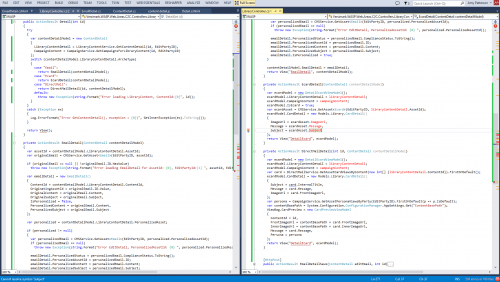
I am often working in Visual Studio in Controllers that have a large amount of code in them and want to look at code from multiple parts of the file. Using the split screen view is not sufficient.  The following is how I maximize my monitor space to get the best experience with the fewest distractions.

1. Select the tab you are working with.
2. Select Window -> New Window
3. Select Window -> New Vertical Tab Group
4. Press Shift – Alt – Enter to switch to full screen mode.

ReSharper, getting started again

Years ago I used to use ReSharper on a daily basis. Then I left that company and didn’t have easy access to it any more. I missed it. I finally am at a place where I have a copy again. I am in the process of relearning how to use it. Here are a few linking that I found useful:

1. This is ReSharpers PDF file the most used shortcuts
2. Pluralsights “ReSharper Fundamentals” course
3. 24 + 3 ReSharper tips by Rapid Application Development blog
4. A Code Project article with more detailed examples
5. ReSharper documentation of the various functionality

RegEx: Validating Phone Numbers

I am horrible at writing regular expressions but, like any developer, when I need them I want a good one.  Today I needed one to validate North American phone numbers, that would allow for all different kinds of formatting by the users and also allow for extensions.

On the following blog post, by Chris Nanney, I finally found the perfect one: 

/\D*\(?(\d{3})?\)?\D*(\d{3})\D*(\d{4})\D*(\d{1,8})?/

I also found this site that I used to validate that it worked as I expected: http://regex101.com/

I’ve been in the position of having to take an unnormalized database that had virtually no data validation or standardization in place, and migrating it to a normalized schema. I used regex to help me through the process.

This post will deal specifically with phone numbers. The data I was importing had many problems: First, there was no standard formatting—some numbers were stored (xxx) xxx-xxxx, some xxx-xxx-xxxx, some xxx.xxx.xxxx, etc. Second, there wasn’t a separate field for extensions—they were just tacked on the end by either ext., EXT, x, Ex, or some variation. If there were only 20 numbers or so you could just fix them by hand, but you need an automated process to deal with say, 15,000.
via Cleaning Phone Numbers with Regular Expressions : Code : Chris Nanney.
Web Dev Tips N Tricks: Font Awesome!

Capture

One of the more interesting libraries I’ve used recently is Font Awesome.  It’s a glyph library that allows you to use professional clean looking icons as a part of your project.   It is very flexible and is easy to implement using markup.  It is part of the Twitter Bootstrap world,  is easily integrated into your website, and is also able to be added to  WordPress via a plugin.

One of the nicer features of the library is the simple built in functionality to do things like make the icons larger, stack them, flip or rotate them, and much more.

Additional Links: