SQL Tips n Tricks: CHARINDEX Transact-SQL

I was looking at some code generated by the compiler for an IQueryable that I created and found this built-in function that I’ve never used before.  I can see it being very useful when doing string compares.

CHARINDEX (Transact-SQL)
expressionToFind
Is a character expression that contains the sequence to be found. expressionToFind is limited to 8000 characters.

expressionToSearch
Is a character expression to be searched.

start_location
Is an integer or bigint expression at which the search starts. If start_location is not specified, is a negative number, or is 0, the search starts at the beginning of expressionToSearch.

If either expressionToFind or expressionToSearch is of a Unicode data type (nvarchar or nchar) and the other is not, the other is converted to a Unicode data type. CHARINDEX cannot be used with textntext, and image data types.

via CHARINDEX Transact-SQL.

Get Involved! – Online Training Course for Developers

This is a great video on Pluralsight about setting up your online presence as a developer.  It’s another tool in a developers tool chest that will help them to grow their skills.

Get Involved!

In this production, Scott Hanselman and Rob Conery offer suggestions and advice on how you can get out there, and get involved. Blogging, Twitter, Github, StackOverflow, User Groups and Conferences: all of this can make you a happier, more productive developer and inspire you to take your career to the next level.

via Get Involved! – Online Training Course for Developers.

Links: April 17

Code, code and more code.: Technical Debt, a case study : tags: At Stack Exchange, we have a fair understanding of technical debt. Like real debt, technical debt is not by necessity a bad thing – it can allow you to choose an acceptable (but not ideal) solution today, which means you can ship today, but you know that at some point you are going to have to revisit it. Like all loans, technical debt carries interest.

— Marc Gravell


Write Code Every Day: Last fall, work on my coding side projects came to a head: I wasn’t making adequate progress and I couldn’t find a way to get more done without sacrificing my ability to do effective work at Khan Academy.

There were a few major problems with how I was working on my side projects. I was primarily working on them during the weekends and sometimes in the evenings during the week. This is a strategy that does not work well for me, as it turns out.

— John Resig


Exploring ASP.NET Web Pages – A fully-featured MiniBlog using just Razor: ASP.NET “Razor” Web Pages are ASP.NET sites without models, views, controllers, or project files. Some folks say “oh, that’s just Classic ASP, or PHP right? Not at all. It’s the full power and speed of the .NET CLR, the full syntax of C#, LINQ, along with things like C# dynamics. It’s super powerful, and my friend Mads and I are surprised more people don’t use them for small things.

— Scott Hanselman


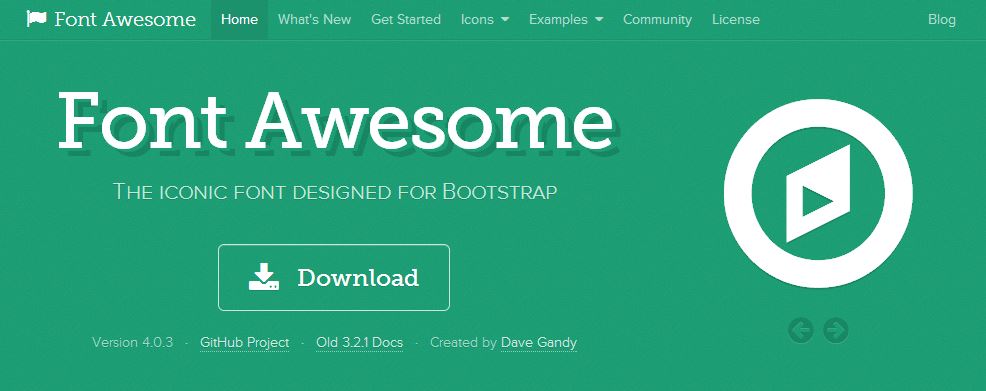
Web Dev Tips N Tricks: Font Awesome!

Capture

One of the more interesting libraries I’ve used recently is Font Awesome.  It’s a glyph library that allows you to use professional clean looking icons as a part of your project.   It is very flexible and is easy to implement using markup.  It is part of the Twitter Bootstrap world,  is easily integrated into your website, and is also able to be added to  WordPress via a plugin.

One of the nicer features of the library is the simple built in functionality to do things like make the icons larger, stack them, flip or rotate them, and much more.

Additional Links:

Requirements: The Expert (Video)

This video has been floating around for a while now. I found it hilarious. But in reality the more I think about it and the message in it the more true it seems to be. I wish it wasn’t true but it is. Pulling requirements out of users who aren’t sure what they want can be difficult, if impossible at times. It takes a skilled person to be able to design software for users like these.